Metadata.db Synchronization
DaVinci Resolve ignores manually copied projects if its SQLite cache is not updated. Our app atomically rebuilds the project_metadata index.
SQLite3 EngineZero Errors
Intelligent, 100% non-destructive merge tool for DaVinci Resolve Project Libraries. Seamlessly extract projects from disk folders and .resolve.diskdb archives straight into a master library ready to connect.
DaVinci Resolve ignores manually copied projects if its SQLite cache is not updated. Our app atomically rebuilds the project_metadata index.
Directly parses and extracts compressed DaVinci Resolve backups on the fly without having to restore them one by one inside Resolve.
When two projects share the same name across libraries, safely preserve both by auto-tagging with source library names or keeping the newest cut.
Built in Swift 6 and Cocoa. Scans 3 TB external hard drives packed with hundreds of projects in under a second with zero CPU overhead.
The real post-production pain: dozens of scattered database folders and backup bundles on external drives that DaVinci Resolve cannot merge natively.
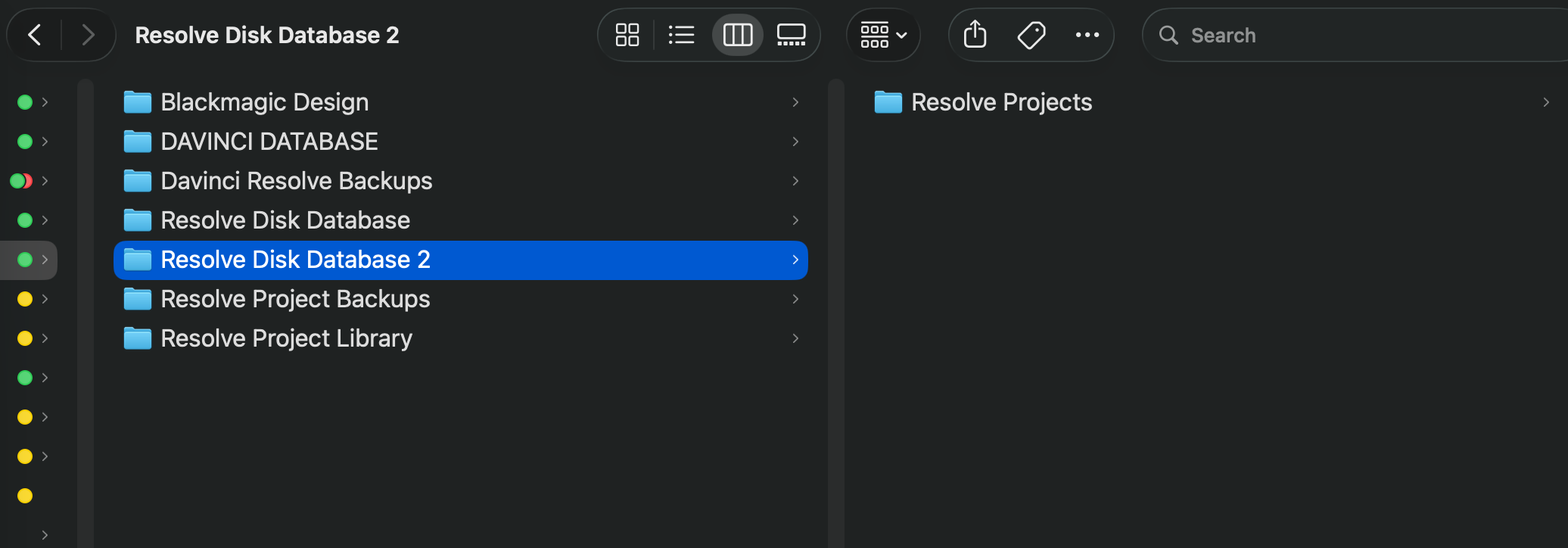
Years of projects trapped across loose directories like Resolve Disk Database, Davinci Resolve Backups, and diskdb bundles. Resolve only connects one library at a time, forcing you to manually export/import .drp files one by one.
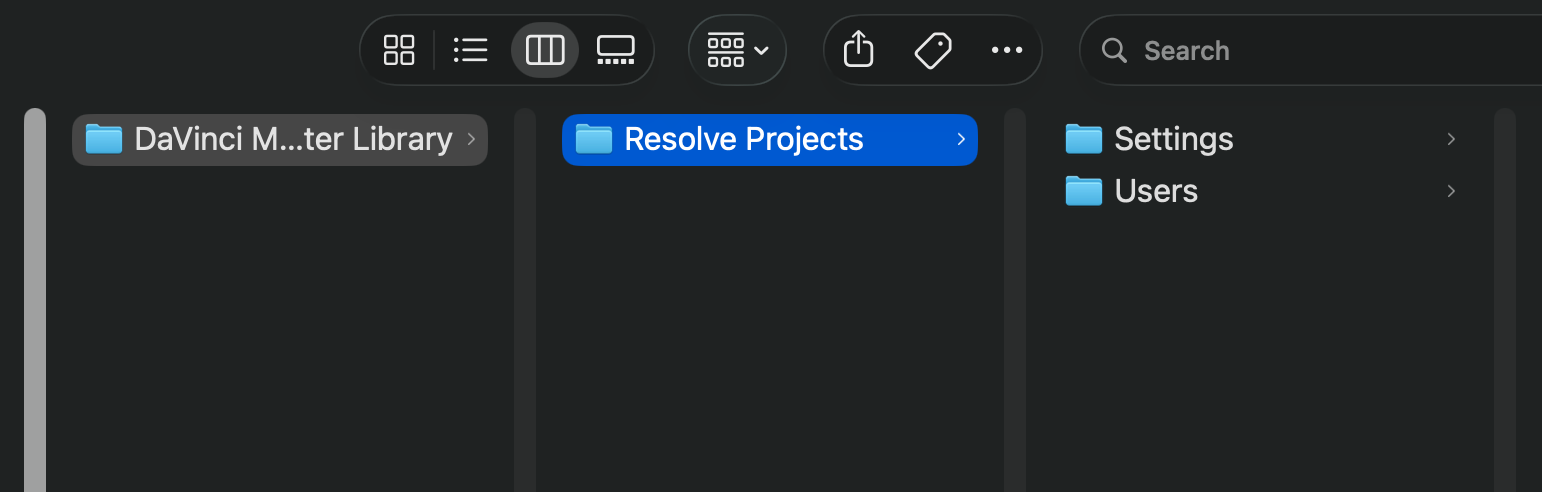
A clean, standard disk hierarchy (DaVinci Master Library -> Resolve Projects -> Settings & Users) with atomically synchronized Metadata.db cache, ready to connect in 1 click in DaVinci's Project Manager.
Point the app to any folder, backup volume, or external drive. Instantly discovers all disk libraries and .resolve.diskdb archives.
Check the libraries to merge, inspect project details with 4K/FPS badges, and choose whether to merge into a fresh or existing library.
Launch DaVinci Resolve, click "Add Project Library" -> "Connect", select the generated master folder, and your unified projects appear instantly.
Try the free version for quick two-library merges or unlock the Studio Edition for unlimited batch merges with a single lifetime payment.
Perfect for testing the engine and merging up to two project libraries per run at zero cost.
For colorists, video editors, and studios managing massive archives of multi-year projects.
Everything you need to know about backing up, restoring, and batch-merging DaVinci Resolve databases and project archives on macOS.
DaVinci Resolve stores projects inside disk Project Libraries or compressed .resolve.diskdb archives. Natively, Resolve only allows connecting one library at a time and restoring archives one by one. With DaVinci Database Merger, you can batch-scan external backup drives, extract projects directly from diskdb backups, and automatically compile them into a unified master library with atomic SQLite Metadata.db synchronization.
By default, local Project Libraries are stored in: ~/Library/Application Support/Blackmagic Design/DaVinci Resolve/Resolve Project Library/. Exported database backups create folder bundles or compressed archives ending in .resolve.diskdb. DaVinci Database Merger automatically discovers both formats across internal drives and external Thunderbolt/USB-C storage.
Yes. DaVinci Database Merger features a high-performance C-API engine that reads and decompresses .resolve.diskdb backup archives on the fly in memory. You can extract and consolidate historical projects without launching Resolve, setting up dummy databases, or manually exporting individual .drp files.
Zero risk. The software operates with a strict 100% non-destructive guarantee: source project folders and backup volumes are accessed strictly in read-only mode, and the consolidated master library is written to a new destination folder. Automatic name collision handling safely preserves identical project names without overwriting.
Full compatibility with projects from DaVinci Resolve Studio and Free versions 17, 18, and 19. The application is compiled natively in Swift 6 for Apple Silicon (M1, M2, M3, and M4 chips) and Intel Macs, supporting macOS Monterey, Ventura, Sonoma, and macOS Sequoia.
Did you encounter any issues downloading Studio after paying with PayPal, or need technical help? Contact us and we will promptly send your direct link or solution.